With the release of vSphere 7 comes the vSphere Distributed Switch 7.0. This latest version comes with support for NSX-T Distributed Port Groups. Now, for the first time ever it is possible to use a single vSphere Distributed Switch for both NSX-T 3.0 and vSphere 7 networking!

First and foremost, this new integration enables a much simpler and less disruptive NSX-T installation in vSphere environments. Previously, installing NSX-T required setting up a pNIC consuming N-VDS. Not seldom ESXi hosts found themselves handing over all of their networking, including vSphere system networking, to NSX-T. With the introduction of the VDS 7.0 this is a thing of the past.
vSphere admins will appreciate the additional control, VDS 7.0 being a 100% vCenter construct, and for pure micro-segmentation projects in a VLAN-only vSphere environment using this new integration will be a no-brainer.
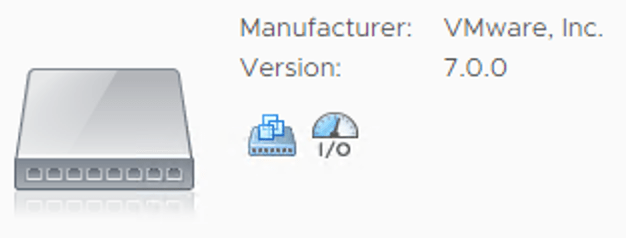
Another “problem” that the VDS 7.0 solves, is that the NSX-T segments it backs are presented as ordinary distributed port groups. This should eliminate any issues surrounding NSX-T segments not being discoverable by third party applications. Yes, opaque networks have been around since 2011, but fact is that not all third party applications have picked up on these.
One inevitable consequence of tying the two platforms together on a VDS is the new dependency. vCenter is required for running NSX-T on ESXi. It’s not a huge thing, but something to keep in mind when architecting a solution.
This article wouldn’t be complete without some hands-on. I’m going to have a look at what’s involved in configuring vSphere and NSX-T so that a single VDS 7.0 is used for both vSphere 7 and NSX-T 3.0 networking. I’ll configure this in a greenfield scenario and a brownfield scenario.
Let’s get started!
Greenfield scenario
We’ve just deployed vSphere 7 and NSX-T 3.0. ESXi hosts have not been configured as transport nodes yet. On a high level there are just two steps necessary to set up the integration:
- Install and configure VDS 7.0
- Prepare NSX-T
Let’s have a closer look at each of these steps.
Step 1 – Install and configure VDS 7.0
Installing VDS 7.0 sounds like an extensive process. In reality this is simply you creating a new vSphere Distributed Switch and making sure version 7.0.0 (default) is selected:
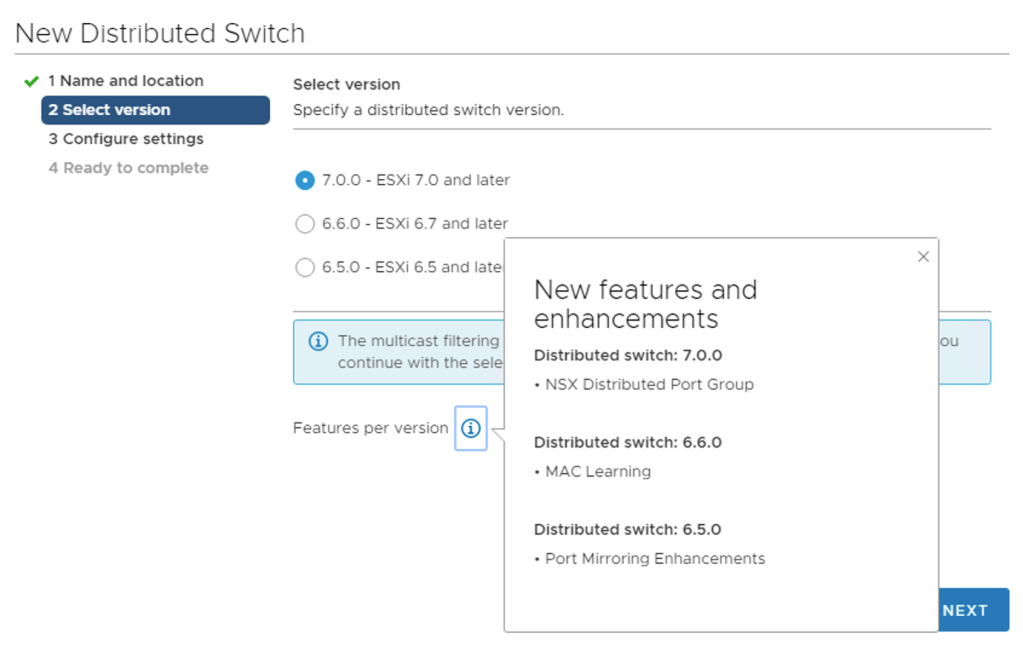
As you can see “NSX Distributed Port Group” is listed as the main new feature for distributed switch 7.0.
This VDS will potentially have to deal with Geneve encapsulated packets (NSX-T overlay networking) so we are required to increase the MTU to at least 1600. I’m going for 9000 right away:
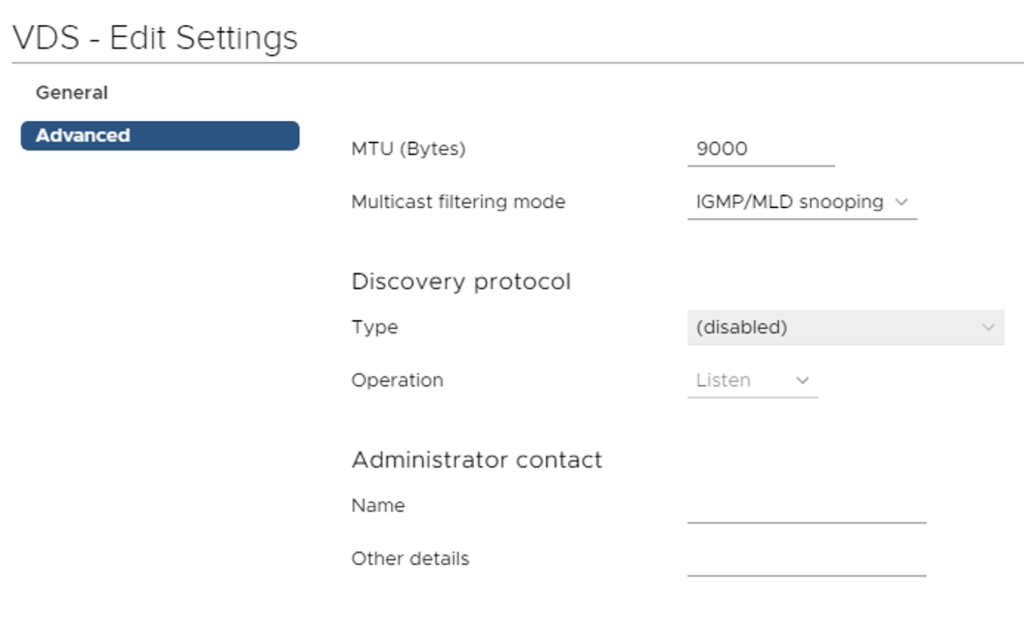
We create our distributed port groups for management, vMotion, storage, and possibly VM networking and then add our hosts to the new VDS. Here pNICS are assigned to the VDS uplinks:

We migrate the VMkernel adapters to their respective DVPGs and can remove the standard switch. We’re done in vSphere.
Step 2 – Prepare NSX-T
On the NSX-T side we start with creating a Transport Node Profile. Besides an N-VDS we can now select a VDS as the Node Switch type which is exactly what we want:
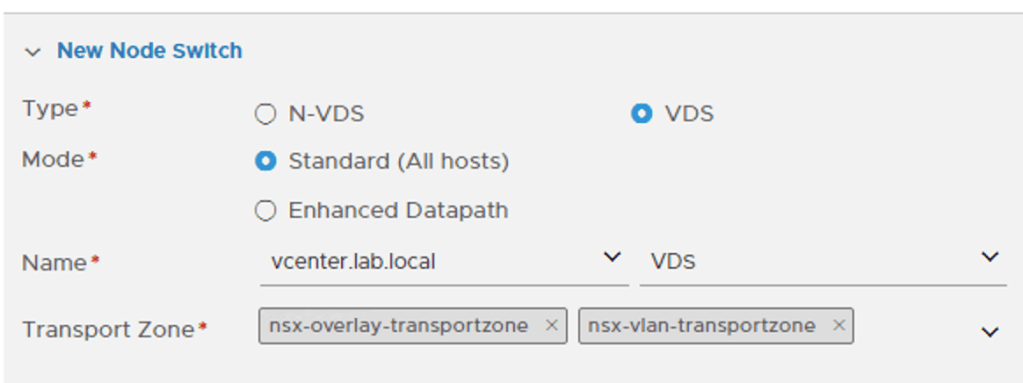
When choosing a VDS we need to pick a vCenter instance and a VDS 7.0. Please note that the vCenter instance needs to be added as a Compute Manager to NSX-T before it can be selected here.
Further down on the same form we map the uplinks as defined in the NSX-T Uplink Profile to the uplinks of the VDS:

The final step is to prepare the ESXi hosts by attaching the new Transport Node Profile to the vSphere cluster:
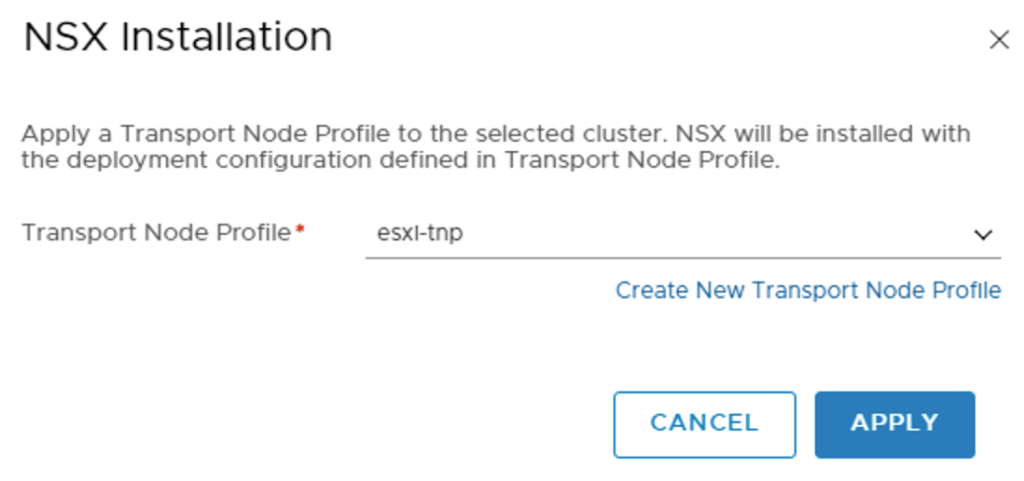
This will install the NSX-T bits as well as apply the configuration on the ESXi hosts:
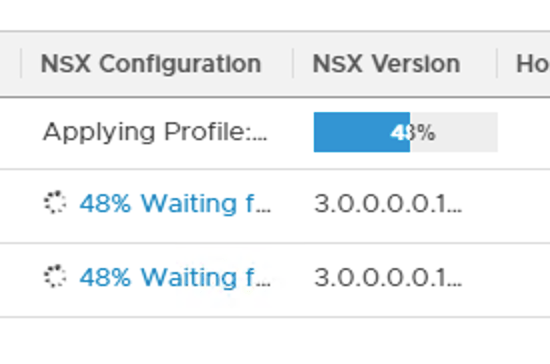
A closer look at the VDS 7.0
In vCenter, if we look really carefully we can see that this VDS is now in use by NSX-T (too):

It’s a bit hard to spot, but the VDS is now of the type NSX Switch. This is mostly a cosmetic difference. From the vSphere perspective an NSX Switch is still just an ordinary VDS 7.0.
NSX-T segments that are backed by the VDS now show up as NSX distributed port groups:
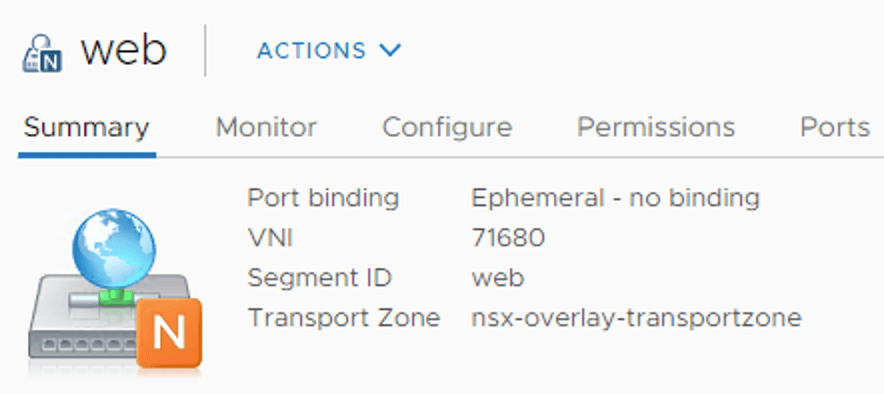
Some NSX-T specific information like VNI, segment ID, and transport zone is visible from here which could come in handy one day.
Under Ports we can find some more NSX-T information like Port ID, VIF ID, and Segment Port ID which are coming straight from NSX-T:
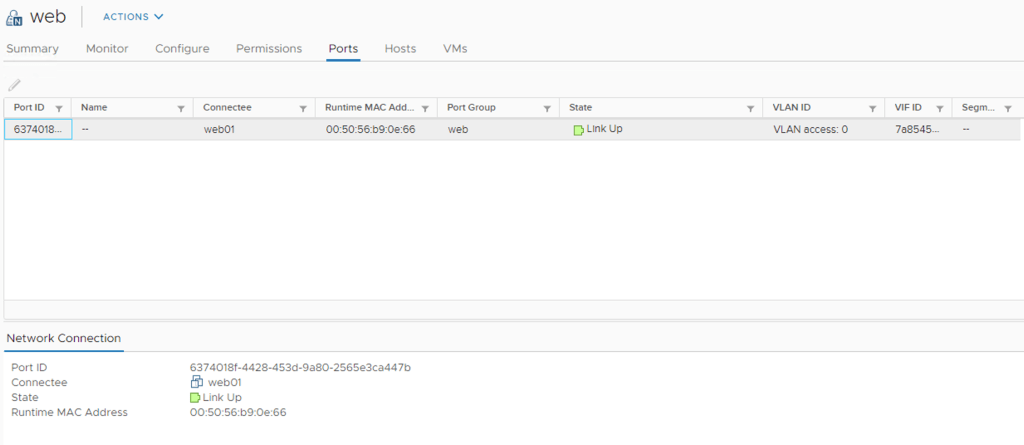
When selecting an NSX distributed port group, the Actions menu contains a shortcut to the NSX Manager UI:

No editing in vCenter. The NSX distributed port groups are NSX-T objects (segments) and are managed through the NSX-T management plane.
Brownfield scenario
We just upgraded our environment to vSphere 7 and NSX-T 3.0. The ESXi hosts were previously configured as NSX-T transport nodes and both of their pNICS belong to the N-VDS. The configuration process in this scenario involves the following high level steps:
- Create a new vSphere cluster
- Install and configure VDS 7.0
- Create new NSX-T Transport Node Profile
- Configure mappings for uninstall
- Move ESXi host to the new cluster
- Attach a Transport Node Profile to the new cluster
- vMotion virtual machines
- Repeat steps 5 + 7 for the remaining ESXi hosts
Migrating NSX-T to VDS 7.0 involves many more steps and also some data plane disruption. Let’s see how it’s done.
Step 1 – Create new vSphere cluster
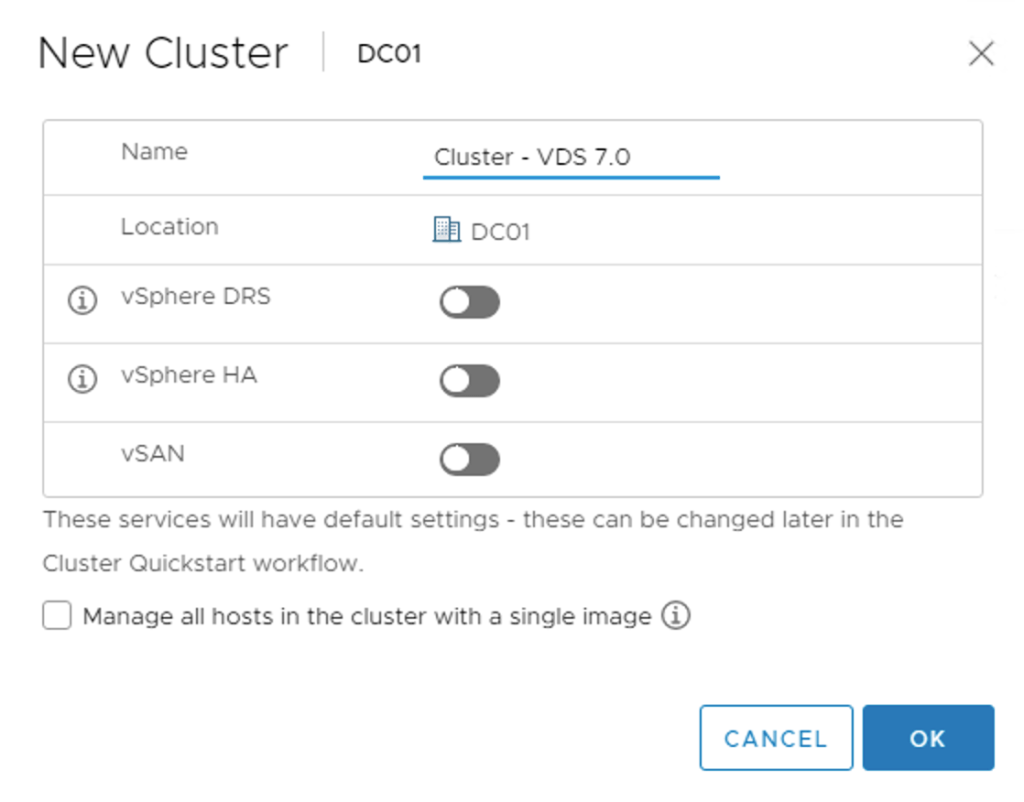
Quite a first step, but to minimize data plane disruptions, a new vSphere cluster is created. This cluster will be configured with the VDS-based Transport Node Profile in a later step:
UPDATE (17/04/2020) – When creating the new vSphere cluster, make sure that the “Manage all hosts in the cluster with a single image” is not selected. This feature is currently incompatible with NSX-T 3.0. Thank you Erik Bussink for pointing this out in the comments.
The existing and the new cluster next to each other as seen in vSphere Client:

Step 2 – Install and configure VDS 7.0
Like in the greenfield scenario we create a new version 7.0 vSphere Distributed Switch:
And set the MTU to at least 1600 bytes:
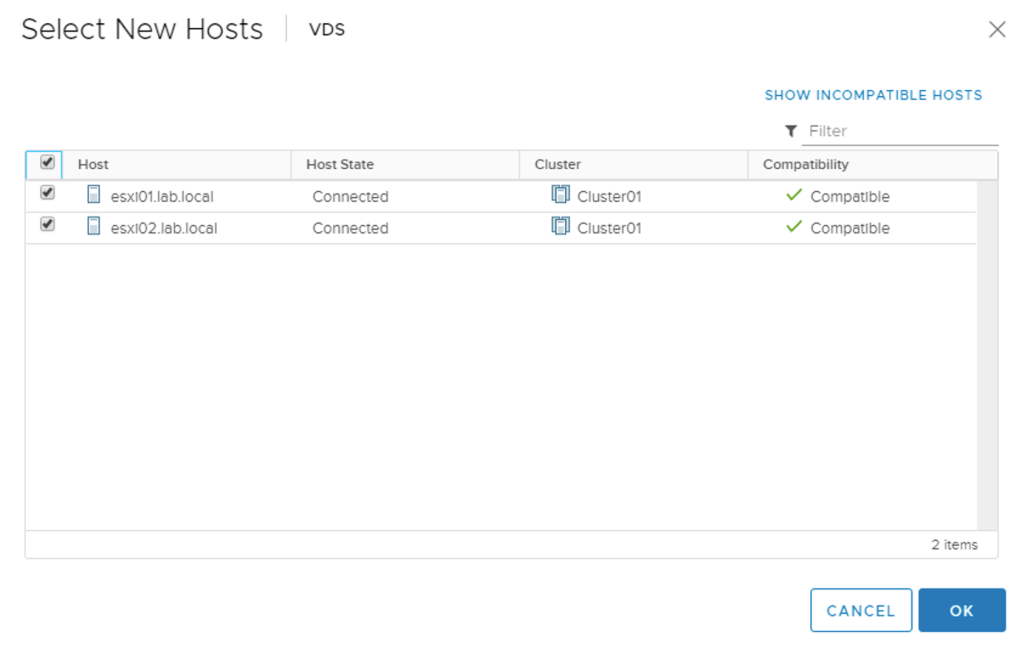
Next, we add the ESXi hosts to the new VDS, but without migrating any pNICS or VMkernel adapters. At this point the ESXi hosts just need to know that the new VDS exists:
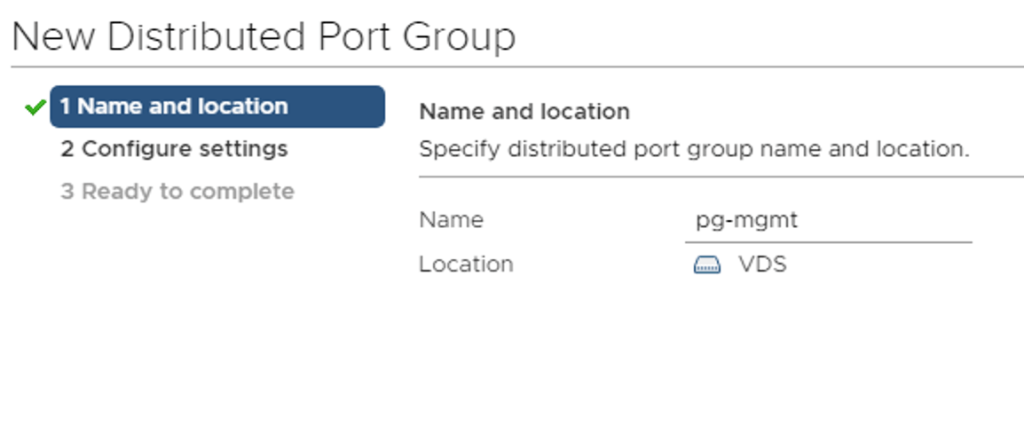
We create distributed port groups for the VMkernel adapters that are currently on the N-VDS. These need to be created in advance to ensure a smooth migration of VMkernel adapters later:
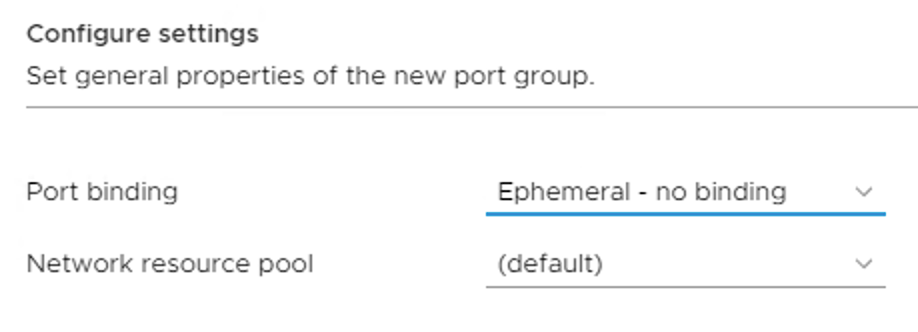
One important detail here is that these “VMkernel” distributed port groups need to be configured with a Port binding set to Ephemeral:
Step 3 – Create new NSX-T Transport Node Profile
Now we create a new Transport Node Profile that is configured with a VDS type Node Switch. Select the vCenter instance and the VDS 7.0:
We configure the Teaming Policy Switch Mapping that maps uplinks defined in the uplink profile to the uplinks of the VDS 7.0:
Step 4 – Configure mappings for uninstall
A new feature in NSX-T 3.0 is that when moving an ESXi host out of a vSphere cluster that has a Transport Node Profile attached, NSX-T is automatically uninstalled from that host.
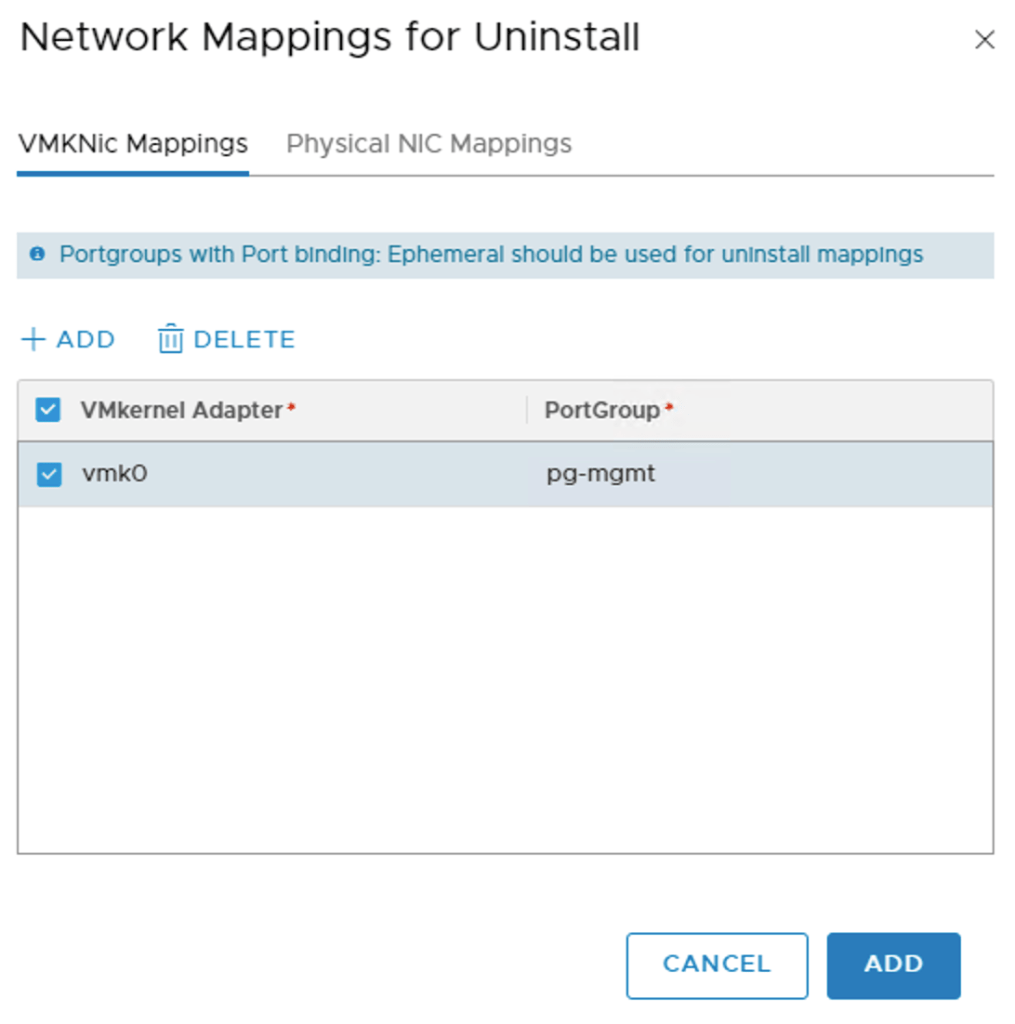
The uninstall process needs to know what to do with the ESXi host’s pNICS and VMkernel adapters. This information is configured under Network Mappings for Uninstall on the Transport Node Profile that is attached to the host’s current vSphere cluster:

Under VMKNic Mappings we map the current VMkernel adapters to the distributed port groups that we created as part of step 2:
Similarly, under Physical NIC Mappings we add the pNICS that should be handed over to the VDS:

Step 5 – Move ESXi host to the new vSphere cluster
We put the ESXi host in maintenance mode so that it can be moved to the new vSphere cluster:
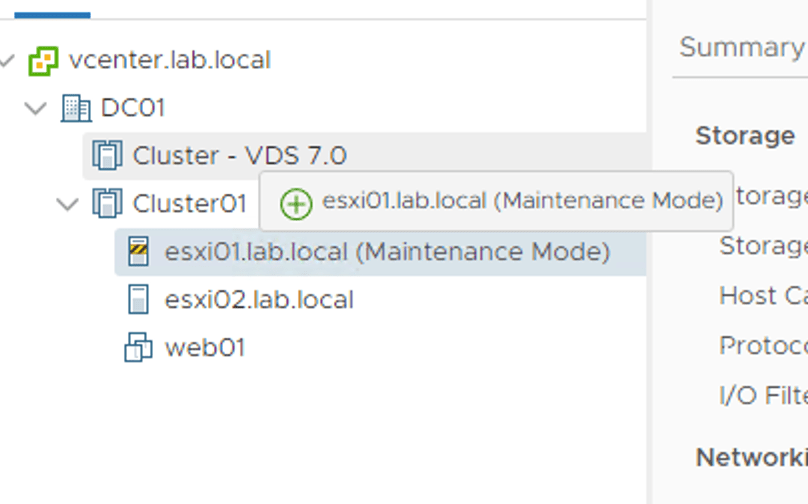
Once moved, the NSX bits and configuration are automatically removed from the ESXi host:

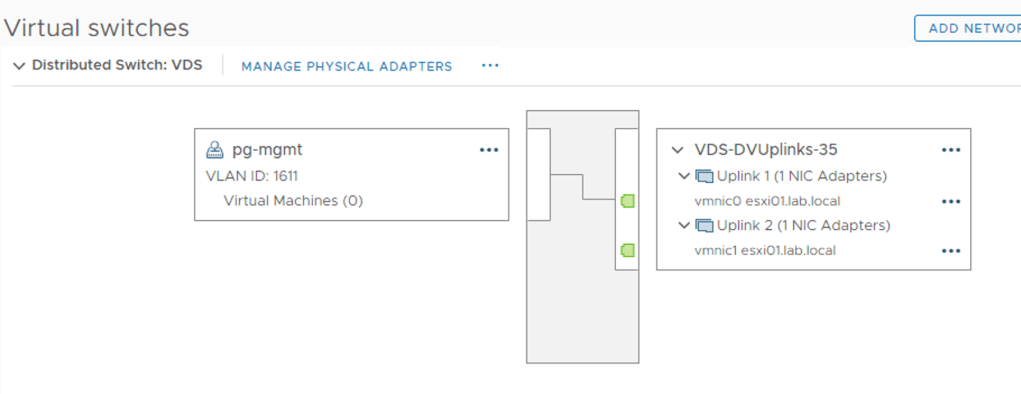
Thanks to the uninstall mappings configured at step 4, the ESXi host’s pNICs and VMkernel adapters are migrated to the VDS:
Step 6 – Attach Transport Node Profile
With compute resources available in the new vSphere cluster, we can attach the new Transport Node Profile to the vSphere cluster:
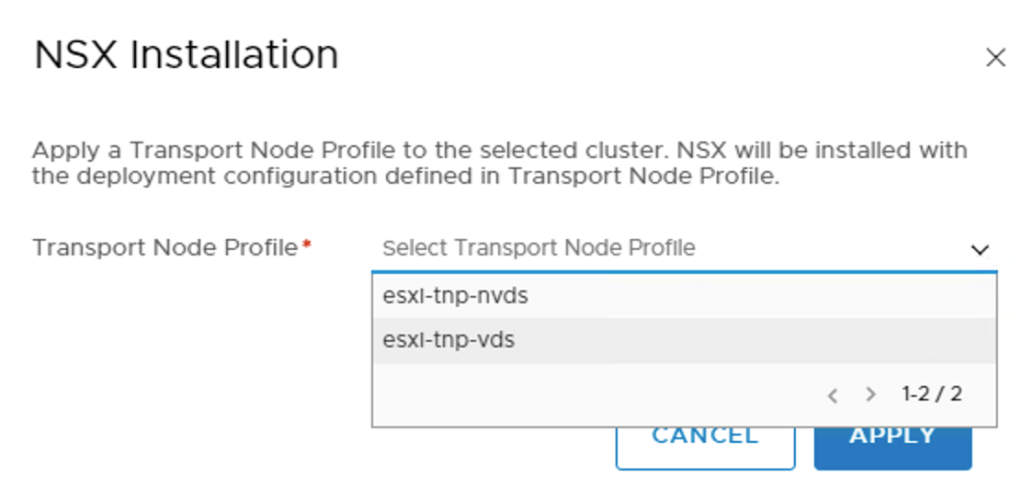
NSX bits and configuration are once again installed on the ESXi host:

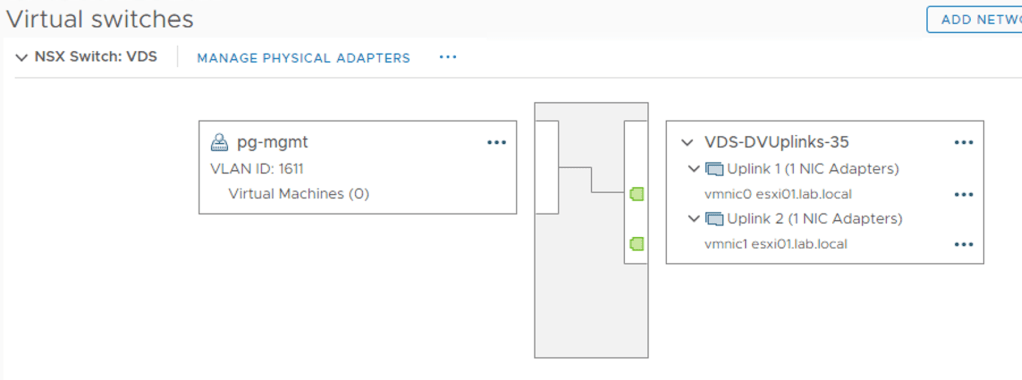
When the NSX installation is done our new VDS 7.0 is being presented as an NSX switch. This so we know it is used by NSX-T:
During the migration process the same NSX-T segments will be shown twice in vCenter:
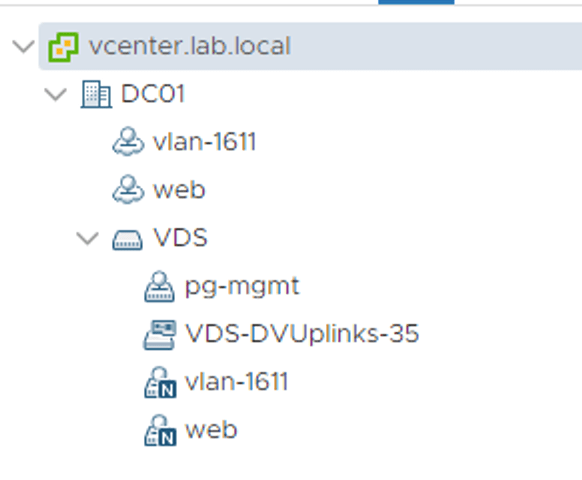
Once as opaque networks available to VMs in the source vSphere cluster, and once as NSX distributed port groups available to VMs in the target vSphere cluster.
Step 7 – vMotion virtual machines
The NSX distributed port groups are the destination networks when VMs are being vMotioned to the new vSphere cluster:
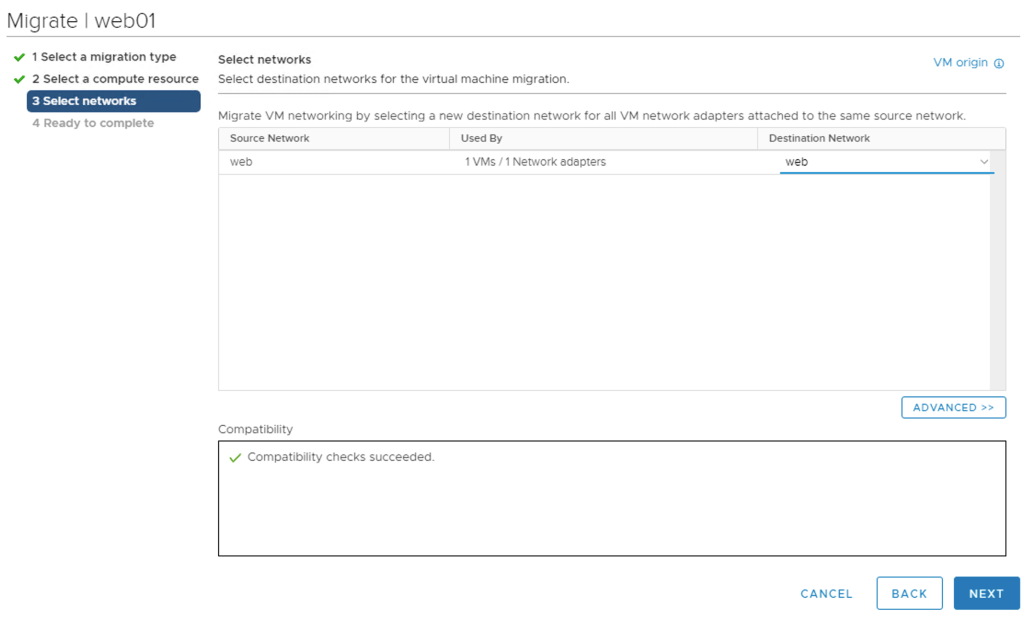
vMotion seems to be smart enough to understand that the source opaque network and the destination NSX distributed port group are the same.
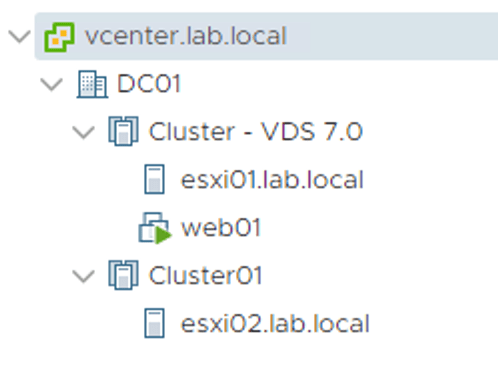
Step 8 – Repeat step 5 + 7
Now we simply repeat step 5 and 7 for the remaining ESXi hosts and virtual machines until the source vSphere cluster is empty and can be deleted:
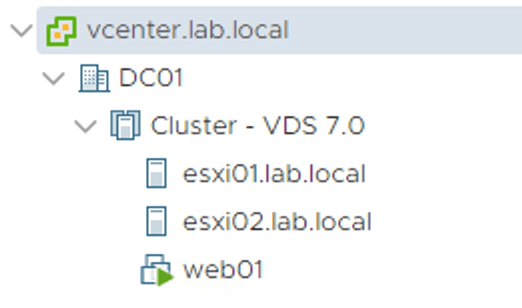
Mission completed! 🙂
Summary
While setting up vSphere and NSX-T for the VDS 7.0 in a greenfield scenario is a simple and straight forward process, doing the same in a brownfield/migration scenario requires significantly more work. There’s room for some improvement here which most likely will be addressed in a future release.
All-in-all there is little doubt that this new NSX-T – vSphere integration is good news for customers running or planning to run NSX-T in a vSphere environment.
Thanks for reading.


 rutgerblom.com
Leave a reply to jen0va Cancel reply